Monthly Archives: November 2020

Intoxicated Techno Sample Pack [WAV MIDI]

By | November 15, 2020

Intoxicated Techno Sample Pack [WAV MIDI]

Intoxicated Techno Sample Pack [WAV MIDI]

Intoxicated Techno is a deep immersive journey into the hypnotic, gritty world of the Techno scene. Packed to the brim with alluring rhythms, complicated synths and versatile loops this sample library sheds new light on a sophisticated genre. Limitations on audio constraints have been lifted with Intoxicated Techno to extend your programming potential to exponential new levels.

Step inside the meticulous content of this pack and you will find a line up of understated loops and samples expertly mastered to deliver the drive, momentum and modular experience every producer needs in their latest production.

Drums pump, basslines pound, synths explore brittle lines of melody, vocals warp to explore new possibilities and full mix loops transcend genre limitations ensuring Intoxicated Techno caters for all sub genres of the after-light scene.

This sample pack is one of the most comprehensive collections of drum sounds, beats, fx, vocals, synth hits, midi, synth loops and basslines to date, with no less than 613 audio samples + 146 midi files. Even by Zenhiser standards this is a truly legendary sample pack for Techno producers.

All loops and samples within the pack are 100% royalty free, supplied in 24-bit Wav ad include midi where applicable. Tempo & key information is supplied within filenames with zip files generously squeezed to reduce download time. So what are you waiting for, take your productions to the next level with a Techno sample collection that will stand the test of time.

SAMPLE PACK SPECIFICATIONS

Basslines – 51
Basslines – Midi – 50
Drum Beats -149
Drum Tops – 81
Drums – 01 Kicks – 25
Drums – 02 Hi Hats – 13
Drums – 03 Snares – 12
Drums – 04 Percussion – 23
Full Mix Loops – 50
FX -17
Synth Hits – 14
Synth Loops – 148
Synth Loops – Midi – 96
Vocals – Dry – 3
Vocals – Wet – 27

Total Samples – 613
Total Midi – 146
Tempo – 122bpm – 128bpm
Info – Key: Yes
Unzip Size – 2.3GB

Links

Demo Preview:

Producer Loops Nu Disco Anthems Vol.1-3 Bundle

By | November 15, 2020

Producer Loops Nu Disco Anthems Vol.1-3 Bundle

Producer Loops Nu Disco Anthems Vol.1-3 Bundle

‘Nu Disco Anthems Bundle (Vols 1-3)’ brings the funk. If you’re inspired by trailblazing artists like Madeon and Daft Punk, you’ll find this energetic bundle an endless source of inspiration. Featuring 8-bit glitches, vocoder samples, wall of sound synths and undeniably groovy basslines, these fun French Disco Construction Kits contain over 3GB of content.

The perfect soundtrack to a night drive in a DeLorean, this electric Producer Loops bundle features fifteen stellar Construction Kits inspired by Madeon, Daft Punk and Justice.

Don your sparkly suit and shades, then get ready to experience an intergalactic journey to the future of pumped up, slappy bass Disco. This is Disco – but not as you know it!

MIDI Files Included:

Like so many other Producer Loops products, ‘Nu Disco Anthems Bundle (Vols 1-3)’ includes MIDI files for the majority of musical phrases heard in each Kit, allowing you to seamlessly mix your favourite synths and samplers with the sounds contained in the bundle.

Advantages of MIDI:

While the supplied ACID/Apple Loops/REX files are extremely flexible and powerful, MIDI has the added benefit of allowing you to go to extremes of pitch and tempo beyond which the loops were originally recorded, with no time stretching or pitch shifting artefacts. Furthermore, you can make tweaks to the riffs so they fit perfectly into your existing mixes.

One-Shot Samples:

This bundle also includes one-shot samples, allowing you to create new beats, fills and loops to compliment the existing material. Simply load them up into your sampler of choice and create an infinite number of new grooves and phrases.

Dry/Wet Loops:

For users looking to simply drag and drop, the ‘wet’ files contain all of the effects processing heard in the audio demos. But for producers looking to create their own effects mix, ‘dry’ loops are also included. Don’t like the wet loops? No problem; add your own effects.

Unlooped Riffs/Tails:

This sample library also comes with unlooped/tail versions allowing you to end a phrase with the decay of the reverb/delay applied to the loop, another “Producer Loops” exclusive product feature.

Royalty-Free:

All of the loops in this product are 100% Royalty-Free (including the vocal loops), so once purchased, you can use these loops in your commercial releases without having to pay any hidden costs.

Pack details:

• 15 Construction Kits
• ACIDized WAV Files
• Loops sync to BPM
• 44.1 kHz/24-Bit
• PC/Mac Compatible
• Royalty-Free (No Exceptions)

Links

Demo Preview:


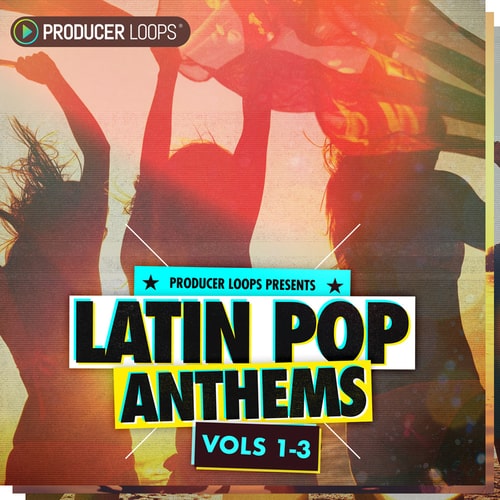
Producer Loops Latin Pop Anthems Vol.1-3 Bundle

By | November 15, 2020

Producer Loops Latin Pop Anthems Vol.1-3 Bundle

Producer Loops Latin Pop Anthems Vol.1-3 Bundle

‘Latin Pop Anthems Bundle (Vols 1-3)’ is the ultimate collection of sun-soaked Reggaeton Construction Kits. This bestselling series includes guitars, kalimbas, brass loops, sound effects, strings, pads, and more – helping you to deliver that Latin Pop crossover vibe that started with “Despacito”.

The fifteen included Construction Kits are inspired by the international mega-hits of artists such as Luis Fonsi and Clean Bandit. As always, we’re here to help you create your own Latin, sunny island-inspired, chart-slayer. Bailamos!

All of the included content is, of course, backed up by a professional feature set designed for users of all abilities. Check out the demo, and read on to find out more.

MIDI:

MIDI files are included for the majority of musical phrases, meaning you can manipulate the melodies to your own taste and assign your own VSTi sounds.

One-Shot Samples:

This pack includes percussive One-Shot samples taken from each Kit, allowing you to create new beats, fills and loops to complement the existing material. Simply load them up into your sampler of choice and create an infinite number of new beats and phrases.

Dry/Wet Loops:

For users looking to simply drag and drop, the ‘wet’ files contain all of the effects processing heard in the audio demos. But for producers looking to create their own effects mix, ‘dry’ loops are also included. Don’t like the wet loops? No problem, add your own effects.

Unlooped Riffs/Tails:

This sample library also comes with unlooped/tail versions allowing you to end a phrase with the decay of the reverb/delay applied to the loop, another “Producer Loops” exclusive product feature.

Royalty-Free:

All of the loops and samples in this product are 100% Royalty-Free, so once purchased, you can use these loops and samples in your commercial releases without having to pay any hidden costs.

Pack details:

• 15 Construction Kits
• Guitars
• Kalimbas
• Brass
• FX
• Strings/Pads
• ACIDized WAV Files
• Dry, Wet And Tail Files
• Loops Sync to BPM
• 44.1 kHz/24-Bit
• PC/Mac Compatible
• 100% Royalty-Free (No Exceptions)

Links

Demo Preview:


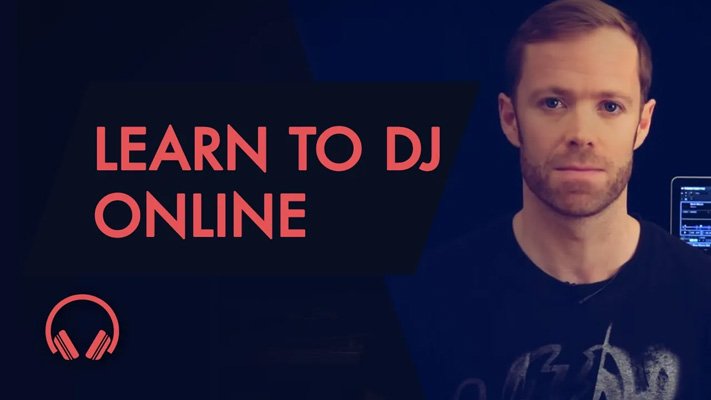
Producertech Beginner-Intermediate DJ Course

By | November 15, 2020

Beginner-Intermediate DJ Course TUTORiAL

Producertech Beginner-Intermediate DJ Course

Our Beginners-Intermediate course provides students with all the knowledge necessary to start mixing right away. As well as being guided through all the different types of DJing equipment available, the modules also provide more detailed information about each stage of the mixing process, such as how to setup decks and a mixer, how to cue tracks, choosing the right track to play and knowing when to mix it, how to set levels and EQ, as well as more advanced effects processing and mixing techniques. Furthermore, exercises are provided, with accompanying audio files, to enable students to improve their jogging and beatmatching skills.

The course has been designed and presented by our very own certified trainer, music producer and DJ – Rob Jones, and is presented in a series of online videos that you can watch where and when you prefer – with a full complement of accompanying downloadable materials for your future reference, which consists of comprehensive written notes and customized mp3s for you to practice mixing with.

Included with the Beginners-Intermediate course are a collection of DJ mixtools from Loopmasters, for practicing your basic DJing skills.

If you own some DJ kit, or even if you don’t yet, and you want to learn all the skills required to DJ with ease, take our Beginners-Intermediate DJ course today and you’ll be mixing in no time. We offer a free sample module that you can watch to see if you think our online video training is the right solution for you, accessable from the Media tab.

Modules in this course:

Module 1 – History of DJing and Buyer’s Guide

Gives an outline of the different DJing formats available today, explaining how they’ve changed over the years and what the most popular formats are now.

Module 2 – Fundamental Controls and Setup

Shows how to hook up a pair of vinyl decks to a mixer and amp or speakers, and then explains the basic controls in this setup, which are the fundamental ones you find in all DJing formats. Then, compares this to the controls you find in djay, a popular DJing app for the iPad.

Module 3 – How to Cue a Track

Explains how to cue tracks with various DJing formats, to enable a complete understanding of the different considerations when using an entirely hardware or a software-based setup.

Module 4 – Knowing your Music

Teaches some of the musical considerations when mixing, to help students better choose the right track to play and know when to mix it. Topics covered include tempo, time signature and key, as well as swing or shuffle. There is also some information about how tracks are structured and an example of a standard song arrangement.

Module 5 – EQing and Filtering

Teaches what the EQ and Filter controls on a DJ mixer do, so students have a better understanding of how to use them to change the sound of a track and improve your mix. Musical examples are shown through a spectrum analyser to enable a visual as well as aural demonstration.

Module 6 – Beatmatching and Creating a Smooth Mix

Combines all the techniques learned so far on the course, and some new tricks, to provide some mixing examples.

Module 7 – Advanced Effects

Runs through some more of the effects you commonly find in DJing setups, including reverb, delay, flanging and gating.

Module 8 – Cue Points and Looping

Continues looking at more advanced DJing techniques by introducing cue points and looping, showing how they can be useful in various mixing scenarios.

Module 9 – Summary and Exercises

Gives a summary of the main points that have been taught on the course, and then provides some exercises to help improve jogging and beat matching skills.

Bonus Module 1 – Interview with a Pro DJ

Provides a glimpse into the life of a professional DJ, by chatting with up and coming Berlin DJ and Producer, Santé.

Bonus Module 2 – Learn to Scratch!

Demonstrates the basics of how to scratch, showing how to setup the decks, the main principles and a range of different techniques.

Links

Drum & Bass 2 Sample Pack & Presets

By | November 15, 2020

Drum & Bass 2 Sample Pack & Presets

Drum & Bass 2 Sample Pack & Presets

We  are back with the second pack of the DnB series with Drum & Bass 2. This pack supplies you with everything you need to create authentic thunderous DnB smashers.

INTRODUCING: DRUM & BASS 2
Notorious for being one of the toughest genres to produce, the creation of Drum & Bass requires careful attention to detail and extensive knowhow on production and sound design…Inspired by the sounds of Kanine, Netsky, Noisia and many more; this pack provides you with an arsenal of professionally crafted audio samples, allowing you to create DnB fast and easy. Struggling to get your tracks to sound professional? Missing that edge? This pack is for you!

Included within this weighty sample pack are valorous bass hits and beefy bass loops, custom built to shake up any dance floor. Punchy hard hitting drum samples, as well as drum loops that will pound through your chest. Futuristic FX that will add flair to your productions, deep chord hits, plus a selection of creativity inspiring soaring synth loops. Also included, 3 detailed scintillating Songstarters to give you a head-start on your next production.

Furthermore, on top of everything already mentioned, this pack provides you with professionally designed Serum presets. These tweakable presets range from dirty basses to scorching leads, giving you access to the ultimate authentic DnB sound. Finally, all melodic parts are available as MIDI files for you experiment with.

All samples in this pack are 100% royalty free.

What do you get?

•Audio Files: 303
•MIDI Files: 35
•10 x Bass Hits
•10 x Bass Loops
•85 x Drum Hits
•10 x Kicks
•10 x Snares
•10 x Claps
•20 x Percs
•15 x Hats
•10 x Rides
•10 x Crashes
•58 x Drum Loops
•15 x FX
•3 x Songstarters (104 audio + 15 MIDI)
•9 x Synth Hits
•12 x Synth Loops
•20 x Midi
•21 x Serum Presets

Links

Demo Preview:

Samplecraze Harmonizer Effect – What It Is & How to Use It TUTORIAL

By | November 14, 2020

Samplecraze Harmonizer Effect - What It Is & How to Use It TUTORIAL

Samplecraze Harmonizer Effect – What It Is & How to Use It TUTORIAL

Harmonizer Effect – what it is and how to use it video tutorial explains what a harmonizer is and how to use it to create interesting new textures for drums, vocals, etc..

The simplest explanation as to what a harmonizer is and does is this: let us use a vocal line as an example. The harmonizer will pitch shift the vocals and add it back to the original un-pitched audio to create a two note harmony. Now, imagine what happens when you have multiple vocals running into the harmonizer or to create multiple pitch shifts of the same vocal line and to start stacking one on top of the other pitch-shifted vocals. You end up with amazing complex textures. This is as simplistic as it gets.

Well designed harmonizers will have additional processing features to help achieve huge harmonies and to keep everything in tune and in time it even incorporates time-stretching. You can even Pitch the Ratio and apply anti-feedback.

Of course, you can use a Harmonizer for its intended task which is to create vocal part harmonies but it can do so much more that it would be criminal not to abuse the process.

Ever wondered how some producers get interesting layered vocal effects out of single vocal lines? The Harmonizer is their weapon of choice and none more so than the Eventide H910 Harmonizer.

Eventide H910 Dual Harmonizer

The H910 Harmonizer was the world’s first digital effects processor. With its unique combinations of pitch shifting, modulation, and delay, the H910 soon proved to be a weapon! Countless hit records from many iconic artists feature the delights of the 910 Harmonizer.

The H910 plugin is a faithful recreation of the original hardware. However, Eventide has gone one better and afforded us a single plugin that runs two harmonizers in parallel. This allows for some manic sonic mangling!

You can use the H910’s pitch changing ability to create specific musical intervals and harmonies, spread guitars, fatten snares, apply subtle organic de-tuning to synths or add slap-back delays to vocals. At extreme settings, you can create unheard-of mechanical sounds and drone effects using self-oscillation, delay, and anti-feedback.

In the Harmonizer Effect – what it is and how to use it video I explain what a harmonizer is, how it works and how to use it. I use a drum beat sequence and run it through the Eventide H910 Dual Harmonizer. I explain how to use the 910 to process crazy drum beat textures making sure to explain how the different settings yield different results.

The plugin used in this video:

Eventide H910 Harmonizer

Topics covered in this video are:

  • What is it, how does it work and when and how to use it
  • Feedback – Anti Feedback
  • Time-Stretching
  • Pitch Shifting
  • Understanding Pitch Ratio
  • Layering Harmonics

Links

Samplecraze Headroom & Dynamic Range TUTORIAL

By | November 14, 2020

Samplecraze Headroom & Dynamic Range TUTORIAL

Samplecraze Headroom & Dynamic Range TUTORIAL

Headroom and Dynamic Range video tutorial explains what headroom and dynamic range are and how to measure them within your DAW.

The two most important areas in audio recording and mixing are Dynamic Range and Headroom. Your entire mix should be governed by these two critical factors. The ear/brain combination needs ample dynamic range in music to maintain interest.

Headroom

Headroom is the difference between an audio tracks peak level (when the meter is displaying its highest value) and 0 level (ceiling) on the output meter. Let me give you a simple analogy I always use to explain headroom to my students. You are 6 feet tall and you enter a room that is 10 feet high. You have 4 feet of headroom. I know it’s simplistic but it works for me.

Dynamic Range

In digital audio, we are concerned with two values: the noise floor which is the lowest or quietest value, and the ceiling which is 0. This difference between the noise floor and ceiling is what we refer to as dynamic range. In layman’s terms think of this as being the difference between the quietest and loudest part of an audio signal.

Bit depth

Let us now look at the afforded dynamic range available in your DAW:

Using the old ballpark calculation of 6 dB/bit we can ascertain that a 16-bit system will have a dynamic range of 96 dB whereas a 24-bit system can accommodate a range of 144 dB. These are not absolute figures and you will invariably find that the range is actually compromised and the figures are less than quoted. In a typical 24 bit system, a 120 dB range is more accurate, but this is not gospel and is dependent on a number of factors. As far as we are concerned we only care about the extended headroom and wider dynamic range.

Summing

When identical frequencies that exist in two different layers (channels) are combined, you invariably get a gain boost at those frequencies.
If you take two sine waves of the same frequency and amplitude, and sum them you will get a gain increase of 6 dB (example below).

The waveform on the top is at ‑9 dB, and when duplicated and summed into a new single mono file we get a value of ‑3 dB. This is important information to take on board and nail into your brain: you can imagine what happens when you have a mix with a huge number of channels all summing and clipping the output simply because shared frequencies are always summed at the output.

In the Headroom and Dynamic Range video, I explain what dynamic range, headroom, and summing are and how to measure them.

The plugin used in this video:

Steinberg Cubase

Topics covered in this video are:

  • What is Headroom
  • What is Dynamic Range
  • How to control Dynamic Range
  • Measuring Dynamic Range
  • Allocating Headroom
  • Techniques to optimise Headroom
  • Pre Gain Structuring
  • Understanding Meters and readouts
  • Understanding Summing

Links

Sonic Collective Indie Downtempo WAV MiDi

By | November 14, 2020

Sonic Collective Indie Downtempo WAV MiDi

Sonic Collective Indie Downtempo WAV MiDi

Lush synths, lo-fi beats, and ambient melodics make up Indie Downtempo: a collection of loops and one-shots primed for electronic music producers with eclectic tastes.

Sonic Collective is an eclectic label focused on real instrumentation and live performances. Featuring a wide range of genres and instrumentation, Sonic Collective connects musical styles from around the world through authentic, high-quality recordings available exclusively on Splice.

Links

Demo Preview:

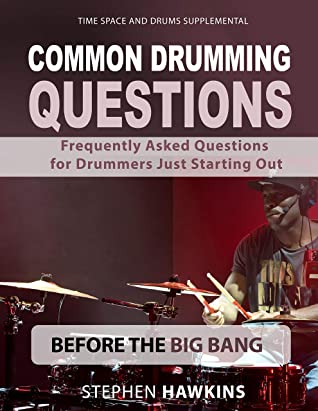
Common Drumming Questions: Frequently Asked Questions for Drummers Just Starting Out PDF

By | November 14, 2020

Common Drumming Questions: Frequently Asked Questions for Drummers Just Starting Out PDF

Common Drumming Questions: Frequently Asked Questions for Drummers Just Starting Out PDF

This book goes beyond just drumming in a practical sense and answers many questions to help the beginning drummer approach various areas involved in drumming with a wider understanding, allowing them to more easily move through the many common issues experienced by most drummers just starting out.

This book covers over 50 of the most common drumming questions you may have in detail. Questions such as:

What should I Practice? Do I Need to Read Music to Play the Drums? Can I Get Started Without A Drum Kit? What Does It Take to Be A Drummer in A Band?How Can I Get Motivated as A Drummer? How Do I Find and Choose A Drum teacher?
…and many more.

The student will emerge with a good background in drumming that makes the road to drumming success an easier road to travel, and with the Essential Answers to Common Drumming Questions.

These are the answers to the stumbling blocks many beginners experience so the road ahead becomes much clearer once you have these questions answered.

Links

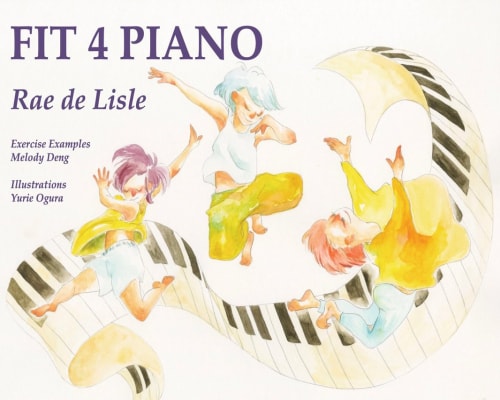
Fit 4 Piano: A Fun Resource for Establishing a Coordinated Piano Technique PDF

By | November 14, 2020

A Fun Resource for Establishing a Coordinated Piano Technique

Fit 4 Piano: A Fun Resource for Establishing a Coordinated Piano Technique PDF

Happy, Healthy Piano Playing

Fit 4 Piano is intended as a resource for teachers and students. While not a method, it contains technical ideas and exercises that Rae has found most useful over a lifetime of teaching. By establishing movements that are natural from the beginning of learning, progression though the grades is uncomplicated, rewarding, and pleasurable for both teacher and student.

Links

Groove3 Top 20 FL Studio Tips & Tricks TUTORIAL

By | November 14, 2020

Groove3 Top 20 FL Studio Tips & Tricks TUTORIAL

Groove3 Top 20 FL Studio Tips & Tricks TUTORIAL

FL guru Tyler Coffin brings you comprehensive FL Studio video tutorials! These are the Top 20 things you need to know when working in FL Studio 20 that will make using FL Studio easier, faster and more creative! From workflows, editing, and programming, to mixing, exporting and more, these videos are a must see for any FL Studio user. These videos are designed for both new and experienced FL Studio users.

Tyler welcomes you and goes over some important basics to help prepare you for the tips and tricks that are coming in this video series, then shows you ways to get extra help throughout the FL Studio DAW. He then starts off with a video on using FL Studio’s powerful Macros, as well as how to customize your FL Studio layout for how YOU work, saving you tons of time and increasing your productivity.

Next, Tyler gives you a multitude of videos on topics like implementing Layer Channels, drum programming with FPC and Slicex, freezing tracks and sampling instruments, how to get creative with the Piano Roll, Convolver and Edison, using Patcher as an effect, how to set up Wave Candy for visual representations of sound, and ZGameEditor to create entertaining movement that reacts to your music, tips for recording audio, MIDI scripting techniques, and much, much more.

To see what these in-depth FL Studio video tutorials show you, and how they’ll improve both your FL Studio experience and creative output, see the individual FL Studio tutorial descriptions on this page. See why FL Studio is so popular, and an incredible composing and mixing machine… Watch “Top 20 FL Studio Tips & Tricks” today!

Links

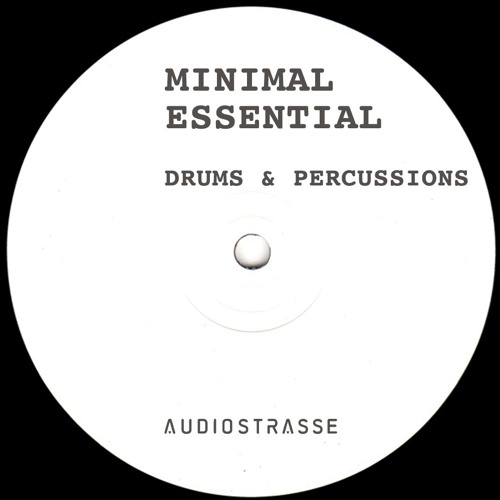
Audio Strasse Minimal Essential – Drums & Percussions WAV

By | November 14, 2020

Audio Strasse Minimal Essential - Drums & Percussions WAV

Audio Strasse Minimal Essential – Drums & Percussions WAV

The idea o

The idea of minimalism is much larger than many people realize.

It includes sounds that move in endless circles and it is based upon the repetition of slowly changing utilizes repetitive patterns.

After the great success of the “essential techno” series, Audiostrasse is ready to start a new chapter based on the minimal sound influenced by the berlin club underground scene.

Drums and percussions are in the spotlight of this music genre, and therefore the first chapter of this serie, which will get you to a perfect start for your grooves.

Inspired by artists like Ricardo Villalobos, Zip and many more, the berlin based producer created an unique collection of rythms by using Moog DFAM and Vermona.

Pack details:

129 24-bit wav files
124 Bpm
31 Drum Loops
21 Groove Loops
10 Kick Loops
22 Percussion Loops
40 Single Hits
5 Bonus Loops

Links

Demo Preview: