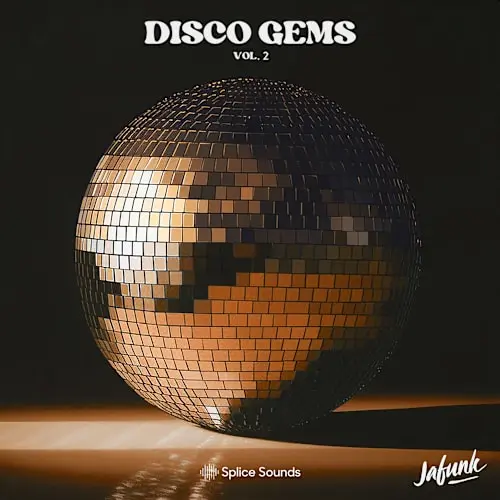
Splice Sounds Jafunks Disco Gems Vol.2 WAV MIDI FXP
Jafunk’s Disco Gems Vol. 2 is a sample pack inspired by the classic disco and funk of the late 70s and early 80s, with a modern twist and enhanced low-end punch.
It features funky live drums, groovy bass, soulful piano, electric guitar, synthesizer, electric piano, and live orchestral strings. The pack also includes 50 Sylenth1 presets with bass, lead, pad, chord, and FX sounds inspired by vintage analog synthesizers, as well as 50 MIDI files of funky bass lines and chord progressions.
Created by Jafunk alongside experienced session musicians, these samples are ready to spark creativity and bring an authentic groove to your music.
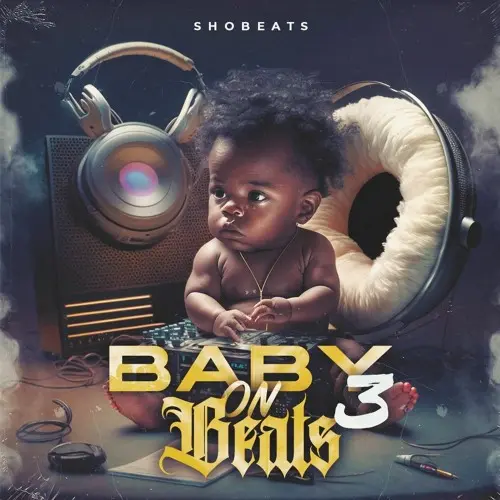
‘Baby On Beats 3’ by Shobeats is an All-In-One sample pack loaded with 83 WAV loops, 51 MIDI files, and 42 one-shots. Bringing you the finest pianos, flutes, guitars, and vocal fused with Hard Trap beats. This collection is filled with everything needed to make iconic Hard Trap hits!
This pack will provide you with must-have samples to help you produce your next hit track, including drums, percussions, 808s, basses, melodies, chords, pianos, keys, live guitars, strings, pads, flutes, vocals, and more. MIDI files are included so you can control your project thoroughly. The MIDI files allow you to apply the melodies to any sound. Alternatively, Drag and Drop the WAV files into your DAW of choice to get started on your next track.
Inside, you’ll also find one-shots, allowing you to create new beats, fills, and loops to complement the existing material. Load them up into your sampler of choice and create an infinite number of drum loops.
And, of course, all loops & samples are 100% royalty-free!
Once you have the basics of playing chord progressions, it’s a great time to test your ability once more by adding color to your chords! This course will help you gain a framework for how to internalize harmonic colorization. You can use the teachings from this course to add intrigue to a rock piano part, putting spice on a funk keyboard part, and even twist the listeners emotions within film scores. This course has something for all keyboard players!
Whether you are a:
Intermediate level keys player looking to improve their progressions
A film composer looking to internalize the emotional palette available within harmony
An improviser looking to spice up their harmonic approach
A music theory buff looking to fill out their musical knowledge
Then this course has something for you!
It’s not enough for me to simply tell you how most people perceive various colors on chords. It’s important that you come up with your own interpretation and language for how you hear these more elaborate sounds. That’s why in this course I will give you common emotions for each chord color, but I’ll also get you to take notes of your own impressions so that you can really internalize how you hear these sounds/colors.
In this course we will cover the benefits of adding color to chords, how to balance color within your progressions, and how to approach chord voicings. Not to mention we will cover tons of various colors you can add to major and minor chords!
I hope you enjoy the content ahead, and happy practicing!
What you’ll learn
Gain confidence in adding color to various types of chords
Come to understand the emotional qualities of various harmonic colorizations
Develop chord progressions with color so that you stand out as a player
Dip your toes into the harmonic language of jazz and romantic harmony
Take your chord knowledge/execution to the next level
Mix, master and create – all in one powerful plug-in.
Want to spend less time tweaking and more time on writing and creating? Then, EZmix 3 is for you. With an extensive set of new and improved features, the revamped generation of the program continues to build on and further enhance this core value.
Mix, master and create – easier than ever before
New GUI – scalable, resizable and responsive
Advanced search and browsing features
New core preset content, amp models and more
Enhanced user control of presets
VST 3-compatible
Mixing and mastering power, at your fingertips.
Revamped from the ground up, the EZmix 3 user interface is scalable, resizable and responsive. Get ready for unparalleled efficiency and a creative, dynamic and inspiring workflow.
Get off to a flying start!
When launching EZmix 3, a project template window is displayed. Choose the type of instrument or channel that you want to process, one of your user presets or your previously saved favorites. From there, you can browse for presets by filters like genre, instrument and more. Off you go!
Head into creative space!
If you’re looking for a seamless mixing experience, the EZmix 3 Similarity Map is for you. Each dot in this space represents an EZmix preset. Presets that are close to each other and colored to match will sound similar. So, If you find a preset that is close to your desired sound but not quite right, click around in close proximity to find what you’re looking for.
Use the power of presets!
EZmix 3 is not designed to be a paint-by-numbers type of tool, it’s meant as a canvas where no rules other than great sound applies. A vocal effect may work just as well on a guitar lead and vice versa. Experiment, mix, match and create – that’s what it was built for.
Build your own processing chains.
No more using multiple instances of the program to create preset chains – EZmix 3 allows you to stack presets in your own order directly in the program. Create your own unique go-to settings that can be infinitely tweaked and fine-tuned to match the track you’re working on.
Meet your own mix assistant.
EZmix 3 utilizes AI to offer several options of automated processing. Central to this technology is making sure the software tailors the sound shaping according to your incoming audio. All AI-assisted presets include an Analyze Track button which quickly scans your source signal. After that, whether you’re applying an instrument-specific pre-EQ preset that cleans up your signal or a broad setting to your overall master, you can rest assured that EZmix 3 has based its processing decisions on your audio.
Overloud TH-U Premium v1.4.30 VST VST3 AAX SAL [WIN]
TH-U is the only amp simulator which includes the MODELING, CAPTURING and FLUID IR PROCESSING features in a single plug-in, both for computer and mobile devices. The software can be expanded with the world largest collection of add-ons, which includes 28,000+ Captured Rigs and 42,000+ Real IRs.
Includes both the amp modeling and the amp capturing technology
89 guitar amplifiers and 4 bass amplifiers. See full model list…
50 guitar cabinets and 2 bass cabinets
85 pedal and rack effects
18 microphone models, with up to four mics on each cabinet
More than 1000 presets covering all musical styles + FREE PRESETS every month! See them…
Randall®, DVmark®, Brunetti® and THD® authorized models approved by the original manufacturers
Amp Tweak technology, allows you to mod the amplifiers by changing the preamp and poweramp tube models, as well as simulating the action of a variac
Rig Player (with 20 factory rigs), allows you to reproduce rig models created by capturing real setups
One entire preset bank dedicated to bass.
4th generation analog emulation technology, with proprietary nonlinear processing algorithm
Advanced cabinet emulations with Fluid Convolution and ReSPiRe 2 technology
Built-in convolver to load external guitar cab IRs
Flexible sound chain with split point for parallel processing
Fully customizable MIDI control for live usage
28,000+ Captured Rigs and 42,000+ Real IRs available from the world’s largest add-on collection!
More than 240 premium models, which are now considered the world’s reference of modeling accuracy and realism. The models include the emulation of the legendary Centaur overdrive, the Tri-Chorus, and the official emulation of Randall, THD, DVmark and Brunetti amplifiers.
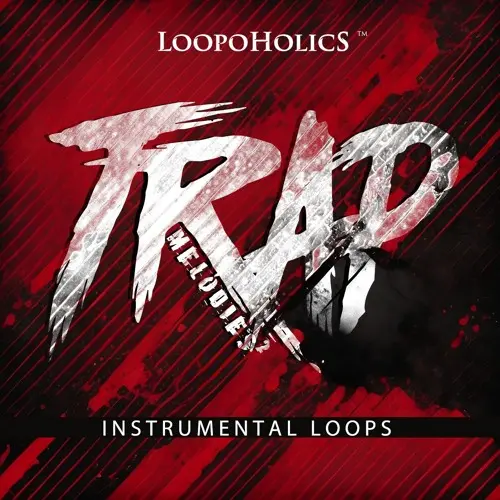
‘Trap Melodies 2 : Instrumental Loops’ by Loopoholics brings you a large amount of unique and trendy sounds.
Inspired by all the main Trap/Hip Hop artists from around the globe, this pack brings you the best tools for your next smash hit.
Whether you’re a professional producer or just starting out you’ll find tons of inspiration inside.
In detail, expect to find unique chord progressions, flutes, arps, dark pads, synths, e-pianos and many more. This pack is a must-have for any Trap producer looking to expand their sound library.
All loops are Royalty-Free so you can use them in your commercial compositions with no extra costs.
IMPORTANT: PRODUCT DOES NOT CONTAIN DRUMS AND BASS LOOPS FROM THE DEMO
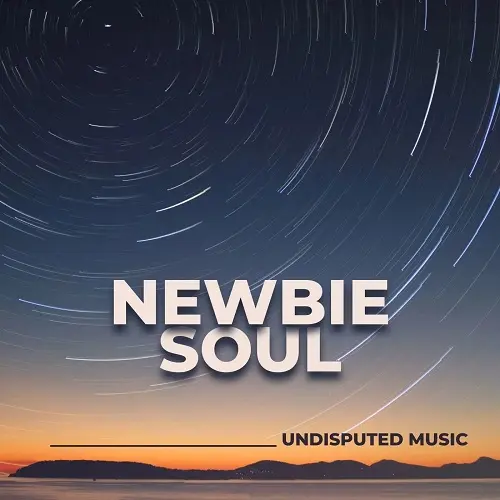
Dive into the soulful soundscape of Newbie Soul: Embark on a sonic journey with our newest sample collection, packed with everything you need to create modern, soulful tracks. Dive into 5 production kits featuring rich bass lines, smooth synths, and pulsating drums & percussion. Ready-to-roll beats: Each kit is meticulously crafted and ready to use as is. Drag and drop into your DAW to instantly elevate your productions. Get inspired and fuel your creativity with these polished elements.
Beyond pre-made loops: Explore beyond the kits! Uncover a treasure trove of individual drum loops, perfect for crafting your own unique grooves. These versatile loops seamlessly blend into Nu Jazz, Hip Hop, Urban Nu Disco, and Nu Funk productions.
Mix & match, royalty-free: Expand your sonic palette by combining elements from different kits and collections. All sounds are 100% license-free, granting you complete creative freedom in your musical endeavors.
Ready to get soulful? Head to our homepage and experience the Newbie Soul demo for yourself. Discover how these modern textures can ignite your next musical masterpiece.
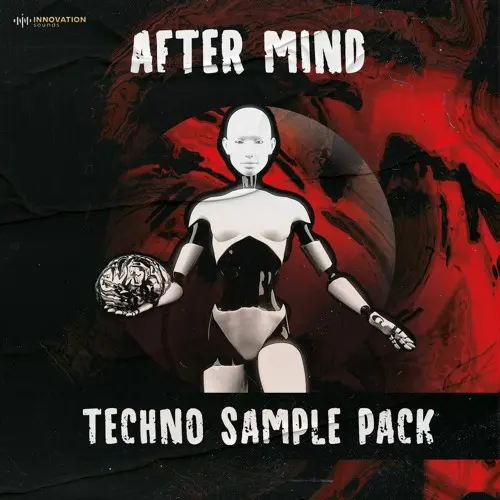
Innovation Sounds After Mind – Techno Sample Pack WAV MIDI
Embark on a sonic journey with “After Mind – Techno Sample Pack,” the ultimate toolkit for techno producers who aspire to reach the heights of genre pioneers.
Inspired by the mastery of techno legends such as Richie Hawtin, Carl Cox, Adam Beyer, Charlotte de Witte, Amelie Lens, Nina Kraviz, Jeff Mills, Sven Väth, Ben Klock, and Maceo Plex, this pack offers a rich tapestry of sounds that encapsulate the depth and diversity of modern techno.
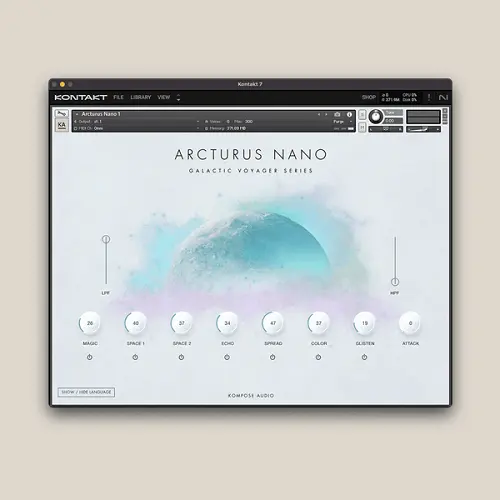
Introducing the all-new Arcturus Nano. Our beloved classic, now reimagined and better than ever!
Please note – Arcturus Nano is a cut-down version of Arcturus Nova.
Step into the next evolution of the Galactic Voyager Series with Arcturus Nano by Kompose Audio and Pulse Audio. Building on the success of the original Arcturus Kontakt Instrument, Arcturus Nano retains all the cherished sounds that have made it a staple in the studios of composers worldwide, while introducing advanced features designed to enhance your creative workflow.
Central to Arcturus Nano are its meticulously sampled harp recordings, harmoniously blended with vintage keyboard tones. These sounds, captured with precise fidelity, offer an exquisite palette of tranquil, romantic, and ethereal textures, ideal for creating immersive soundscapes.
Arcturus Nano introduces a range of powerful new controls, including high pass and low pass filter sliders and an attack knob, offering you precise command over the instrument’s tonal characteristics. These enhancements enable you to sculpt your sound with greater nuance, whether you’re refining the warmth of a pad, shaping the attack of a pluck, or fine-tuning the atmosphere of your composition.
Beyond its technical capabilities, Arcturus Nano excels in its versatility. While it shines in epic and cinematic compositions, its application extends to relaxation, meditation, healing, and prosperity-focused music. The instrument’s soothing tones and expansive soundscapes are crafted to foster a sense of peace and well-being, making it a powerful tool for projects aimed at promoting mindfulness and positive energy.
Enhanced user experience with multi-language interface
The user experience has also been enhanced with a multi-language interface supporting 11 languages, ensuring accessibility for composers and producers around the globe.
Arcturus Nano represents a significant upgrade, combining advanced sound design tools with the same celestial beauty that defined its predecessor. Whether your focus is ambient, orchestral, electronic, or experimental, Arcturus Nano invites you to explore new sonic territories.
Embark on your next creative journey with Arcturus Nano, and discover the limitless possibilities that await in the expanding universe of the Galactic Voyager Series.
Controls
Magic: Infuse your sound with mystical, delayed tones using the Convole reverb, adding a captivating shimmer to your audio.
Space: Journey into an expansive sonic universe with the Replika reverb. Deep, lush, and immersive, it transports your sound to distant realms.
Echo: Create rich, harmonious echoes with the Psyche delay. More than just an echo, it’s a melodic dialogue with your sound.
Spread: Expand your sound’s horizon, adding width and depth to your sonic landscape.
Color: Shape your sound with the SG-EQ filter cutoff, like an artist fine-tuning their masterpiece. Brighten for clarity or warm it up for a vintage feel.
Glisten: Enhance your audio with the Flair effect, adding a layer of shimmering brilliance that makes your sound truly shine.
Mute Buttons: Instantly silence any effect or instrument with a single click, giving you precise control over your soundscape.
New – Low Pass and High Pass Filter Sliders: Fine-tune your soundscape by adjusting the low and high pass filters, sculpting the perfect tonal balance.
New – Attack: Modify the harp’s attack for a subtler, more nuanced sound.
Full MIDI Control
Assign any knob or slider to a MIDI CC Controller by right-clicking it, selecting ‘Learn MIDI CC Automation’ and moving your desired control.
All eight knobs support ‘Host Automation’ so you can automate them in your DAW. In Logic Pro, use Smart Controls, and in Cubase, Quick Controls.
For Maschine users, the eight knobs are pre-mapped to the controller knobs for easy access.
Included Interface Languages
Danish
Dutch
French
German
Italian
Japanese
Norwegian
Polish
Spanish
Swedish
English
Add Arcturus Nano to Kontakt’s Library Browser
Arcturus Nano includes the necessary files and full instructions on how to add the instrument to Kontakt’s main Library Browser.
Jazzfeezy teams up with Mitika Kanwar to bring you the first in their vocal series:
Introducing ‘Indian Vocal Pack,’ a pack of high quality collection of original vocal samples by Mitika Kanwar.
The pack beautifully blends traditional Indian classical and folk elements with contemporary styles. This exclusive pack features a rich variety of sounds, including: Indian Classical Elements, such as, sargams, taranas, alaaps, and thumri;
Bollywood hooks, verses, adlibs and one shot dialogues captivating the essence of cinematic storytelling; and other contemporary vocal samples designed for upbeat EDM or pop music. The pack is infused with sufi lyrics, urdu verses, punjabi folk and hindi lyrics.
The versatility of this pack is unmatched, offering everything from Sufi to Bollywood to Indian Classical inspirations. Enjoy the warmth of resampled tape, pitched, vintage melodies, and creatively chopped vocals. With samples in Punjabi, Hindi, and Urdu, you’ll find a mix of authentic and traditional sounds infused with a modern twist.
Elevate your music production with this Indian Vocal Pack – where tradition meets innovation and style.
The most advanced mastering system ever designed. Providing complete creative control in a streamlined workflow.
Meet the most musical AI ever built.
So you can stay focused on the creative decisions that matter.
Mastering is an art – that’s why Optimus features an all-new type of AI workflow that puts you in control.
By analyzing your entire song and interpreting over 27 million data points, Optimus creates a unique fingerprint of your track.
Then, you choose the flavor of the AI you like best – and exactly how much to apply.
Featuring 3 human-trained models – Balanced, Modern, and Vintage – there’s a wide range of sonic possibilities to choose from.
You’re In Total Control
You control exactly how much of the AI you want to apply to your signal with the AI Amount knob. Dial it in to taste and take complete control over your master.
Meet
Liquid Band EQ
Optimus features an all-new EQ, designed from the ground up with pristine mastering-grade filters and an intuitive control set.
This makes it easier than ever to focus on the global tone of your entire master bus.
Grab the Low, Mid, or High handle to intuitively sculpt the global EQ curve with just a couple clicks.
Introducing
Spectral Dynamics
Optimus features an all-new Spectral Dynamics module to give you even more control over the most important frequency ranges of your mix.
Low Dynamic Control
Instantly get tighter low end that translates across multiple playback systems, even when played through smaller, bass limited speakers.
High Dynamic Control
Soothe harshness in your high end dynamically, or add harmonically relevant excitement for extra air and sparkle – all with just a click.
Perfect Low End, Made Easy.
Advanced Highpass Filter
Not all low end is equal when it hits your mix bus. With our Advanced HPF algorithm, Optimus more precisely filters problematic subsonic lows to keep your mix bus cleaner.
DRIVE HARDER
✓ Fine-tuned maximization & saturation toolkit
✓ Combine the best of your favorite plugins in one simple tool: no stacking required
✓ Works on any track: vocals, drums, bass, synths, mix bus, and more
✓ Classic trap-inspired soft-clipping & analog crunch
✓ High octane saturation & bass enhancement
✓ The same unbeatable maximizer as Master Plan
SUPERIOR LOUDNESS
The same unbeatable maximizer algorithm as Master Plan.
Now with low-latency mode for live tracking and real-time performance.
HOT TO THE TOUCH
Classic trap-inspired soft clipping & distortion
Soft Clip: Perfect for clean peaks with character.
Crunch: Add grit, crunch, and saturation to guitars, synths, vocals, and drums.
Blend for endless variations–clean to crunchy in seconds.
WORKHORSE COMPRESSION
Crystal-clear compression for everything
Smooth & Transparent: Clean up dynamics while retaining natural tone.
OTT Multi-band: Snap, punch, and polish on demand.
Upward Compression: All body, no fat–perfect for beefing up quiet elements.
HIGH-OCTANE SATURATION
Big sound. Zero fuss.
Beef Up Kicks & Bass: Tight, punchy low-end with ease.
Analog Warmth & Width: Add warmth and spread across your mix.
Just dial it in–no guesswork needed.
PRESETS & INSTANT INSPIRATION
Curated presets crafted for modern production workflows
Endless Variations: Hit the dice to sift through infinite possibilities.
Pre-loaded templates for drums, bass, synths, and full mixes.
CONTROL WHERE IT MATTERS
Unity Gain Monitoring: Hear exactly what FUEL is doing to your sound.
Live Mode: Low-latency for real-time performance and tracking.
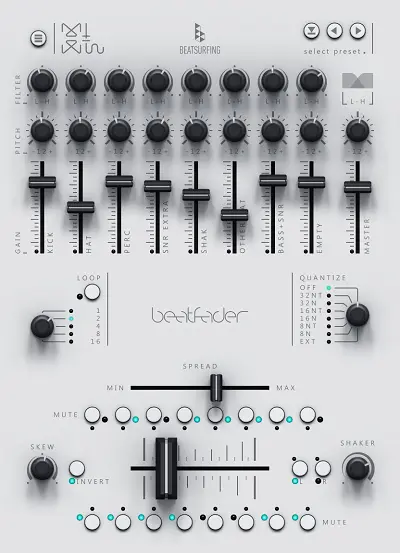
What does the beatfader do?
Play beats or trigger instruments with any fader, knob, or mod-wheel with seamless ease.
Effortless integration: Midi Map the beatfader plugin to your Midi-enabled controllers or DJ mixer and sync it with your preferred DAW. Use Midi out to create your own kits or add more sounds to your setup.
Dynamic Live Looping: Experience the power of quick, selectable loop lengths that allow you to effortlessly live loop your beats. The last bars played will loop, allowing you to quickly overwrite and make a unique loop performance.
Fine-tune your beat
Each notes channel has individual controls for Gain, Pitch, Filter, or Mute granting you command over each sound. Spread to add margins to the sides of the fader, compressing the distribution of the notes. (ex. Bunching them in the middle so you can scratch using the side of the fader).
Skew or invert to sculpt your beats to perfection. Shape the feel of your beats with intuitive precision, allowing for a personalized experience.
How does beatfader fit 28 notes on the fader?
Counter: beatfader has a built-in counter instrument, which allows for 4 sounds to be triggered on the left or right that can reset each other.
Shaker: The shaker plays a note when you change direction. You can tweak the sensitivity to your liking. It plays a note when you go left or right and then transposes other notes according to the kick or snare.
beatfader Features
Universal Compatibility: Play beats or trigger instruments with any fader, knob, or mod-wheel with ease.
Midi out to create your own kits or add more sounds to your setup.
Loop your performance with selectable loop lengths that allow you to effortlessly live loop your beats
Sound Sculpting Mastery: Enjoy individual controls for each sound’s gain, pitch, and filter to tune your beat to perfection.
Quantization Customization: Modify the quantization amount to for a whole new feel to your rhythm’s potential.
Spread the Magic: Adjust the spread to add margins to the sides of the fader, compressing the distribution of the notes.
Skew your drums: Turn convention on its head by inverting or skewing notes, offering constant creative versions.
Mute for Emphasis: Individually mute each note, opening the door to captivating transitions and breakdowns.
Expansive Sound Library: With loads of kits and the ability to save your own making your drum palette is limitless.
PITCHSHIFT is the ultimate pitch-shifting plug-in for music production, sound design and post production. It combines multiple high-quality pitch algorithms, ranging from the classic delay-line design to advanced resynthesis, time-stretching, and state-of-the-art hybrid processing. The plug-in comes in two tiers: the three-algorithm PITCHSHIFT for mono and stereo duties, and the six-algorithm PITCHSHIFT PRO, which adds more sound design options and supports up to 16 channels of phase-synchronous multi-channel processing for immersive workflows.
Whether you’re adding a fifth or octave to a guitar or vocal, adjusting the pitch of a loop to fit your project, making monster voices and alien machinery, or adjusting the pitch of a film mix for frame rate conversion, PITCHSHIFT delivers maximum quality with minimum effort!
Version 1.2.0
* New MIDI note control of PITCH, PITCH SHIFT and FORMANTS, including adjustable pitch bend amount up to +-12 semitones: you can now control these key parameters by sending MIDI notes to the plug-in, making for a quick way to find suitable settings as well as musical interaction with the processing. The pitch range of Type A, B, C, D and E is extended significantly when controlled via MIDI notes. Caution: very fun!
* New GLIDE parameter: up to 10 seconds of GLIDE can be applied both to MIDI note control of parameters as well as to the UI knobs for them. Various GLIDE shapes are provided.
* New Enhanced III and Enhanced IV Window modes for Type A: two new enhanced versions of the Hann and Multi-Res windows, with even more focus on transient reproduction.
Improved numerical entry of wet filter frequency: You can now set the frequency in Hertz, and differentiate between lowpass and highpass using a prefix; “LP” or “-” (minus) plus a frequency in Hertz results in a lowpass, “HP” or “+” plus a frequency results in a highpass filter.
* Fixed an issue where writing automation using the PITCH SHIFT trackball would cause * FORMANTS to be written and selected in the DAW if LINK is on.
* Fixed an issue that could cause zipper noise when changing wet filter frequency.
* Updated manual to include all new features released since v1.0.0.


![Toontrack EZmix Bundle v3.1.1 VST3 AAX STANDALONE [WIN]](https://vstorrent.info/wp-content/uploads/2025/01/ezmix-bundle.webp)
![Overloud TH-U Premium v1.4.30 VST VST3 AAX SAL [WIN]](https://vstorrent.info/wp-content/uploads/2025/01/th-u-premium.webp)

![SSG Audio Optimus v1.0.19 VST2 VST3 AAX [WIN]](https://vstorrent.info/wp-content/uploads/2025/01/ssg-audio-optimus.webp)
![Musik Hack FUEL v1.0.3 VST3 AAX [WIN]](https://vstorrent.info/wp-content/uploads/2025/01/musik-hack-fuel.webp)
![Zynaptiq PITCHSHIFT PRO v1.2.0 VST3 AAX [WIN]](https://vstorrent.info/wp-content/uploads/2025/01/zynaptiq-pitchshift-pro.webp)