Monthly Archives: January 2025

Phantom Sounds Bamboleo – Afro House Pack WAV MIDI

By | January 23, 2025

Phantom Sounds Bamboleo - Afro House Pack WAV MIDI

Phantom Sounds Bamboleo – Afro House Pack WAV MIDI

Unleash your creativity with this dynamic collection of soulful rhythms, intricate basslines, and syncopated synths. Inspired by the cutting-edge sounds of artists like Keinemusik, Black Coffee and Joezi, this pack delivers the modern afro house vibe you’ve been looking for.

Dive into an expansive 3.8 GB collection meticulously crafted to ignite your musical imagination.

Here’s what you’ll find inside:

  • 40 Bass Loops (+MIDIs)
  • 40 Synth Loops (+MIDIs)
  • 20 Piano Loops (+MIDIs)
  • 10 Construction Kits (+MIDIs & Stems)
  • 90 Drum Loops (Full, Hat, Percussion, Shakers, Top)
  • 180 Drum One Shots
  • 20 Bass One Shots
  • 20 Synth One Shots
  • 26 Vocal Hooks (Dry & Wet)
  • 25 FXs

Download link

Demo Preview:

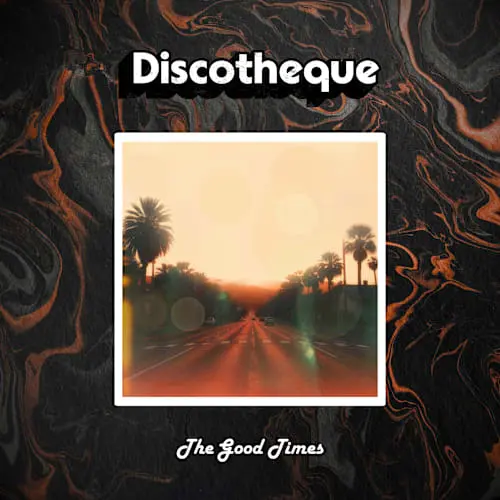
Discotheque The Good Times WAV

By | January 21, 2025

Discotheque The Good Times WAV

Discotheque The Good Times WAV

“The Good Times” is the second sample pack from the dynamic duo of Connor Hedge and David Maemone. With high flying guitars, pulsating synthesizers and undeniable drum grooves, this pack will make your pop dreams come true.

In this pack you’ll find 10 Melodic Loops with stems, accompanying drum loops, as well as drum and synth one-shots.

  • 203 Samples

Download link

Demo Preview:

Montage by Splice Echo’s Story Y2K Video Game WAV

By | January 21, 2025

Montage by Splice Echo's Story Y2K Video Game WAV

Montage by Splice Echo’s Story Y2K Video Game WAV

For producers and sound designers Galen Tipton and; Holly Waxwing, their earliest connection with music was through the video games. As children of the 90s and early 00s the colorful, at times goofy and extremely playful video game compositions from that era became staples of their childhood and greatly influenced the music they went on to create later on in life.

They both fell in love with how games often rely so heavily on motifs and variations on a central theme, because those melodies formed such intense psychic and emotional bonds. Video games from the early aughts had scores that could blend more hi-fidelity sounds but still had limitations imposed by the storage capacity and technology of the time. This combo of advances and limitations led to a characteristic sound that is uniquely distinct to their core memories.

“For me, in video games there is often this strange superposition of the worlds feeling both intimately familiar and homey, as well as isolating and alien. This kind of “uncanny valley” of sorts distorts time, spatial awareness and memory. This effect was really accentuated by the kind of confusion, verging on tedium, that happened when playing games with no reference points or walkthroughs”, says Holly Waxwing.

This engrained nostalgic vibe is recaptured wonderfully in this immersive video game soundtrack pack for Montage – Echo’s Story: Y2K Video Game. Echo, by the way, is Holly Waxwing’s dog and the pack is almost an imaginary score to a video game inspired by Echo’s puppy adventures. The production duo built their own take on OSTs from the 90s/2000s with the same limited sound palettes (very basic synth sounds, rudimentary drum machines, and emulating the techniques of early samplers) as well as a strong attention to melody to convey story and vibe above all else. Massive musical inspiration came from classic games like the Pikmin, Luigi’s Mansion, Mario 64, Ape Escape, Animal Crossing, Crash Bandicoot, Banjo-Kazooie, Spyro and Croc, Mortal Kombat and The Legend of Zelda: Ocarina of Time.

This pack features an array of digital mallets, scene setting song starters, perfectly retro synths, endless sfx for all types of in-game actions, foley fighting moves and weapon sounds, as well as a host of “vocal characters” that each take on a humorous persona of their own. These sounds will truly transport you to an era that feels beyond memory and time and into a dark cave, an underwater city, or a boss’ realm of your wildest video game imagination. If you’re designing a retro video game, look no further. Want to flip these sounds into your trap beat to give it an addictive playfulness? Be our guest. Whatever you use these sounds for, you’re sure to get lost in the endless time warp of Echo’s Story.

  • 285 Samples

Download link

Demo Preview:

Gakuyen Ultimate Sound FX Pack WAV

By | January 21, 2025

Gakuyen Ultimate Sound FX Pack WAV

Gakuyen Ultimate Sound FX Pack WAV

Transform your projects with the Ultimate Sound FX Pack—a meticulously curated custom library of 38 premium sound effects designed for filmmakers, content creators, and video editors. Whether you’re crafting cinematic masterpieces, dynamic social media content, or immersive YouTube videos, this pack provides the essential audio assets to elevate your storytelling.

What’s Inside:

  • Diverse Sound Categories: Explore a wide variety of sounds, including cinematic whooshes, impactful transitions, subtle ambient layers, crisp Foley effects, and more.
  • Professionally Mixed and Mastered: Each sound is crafted by professional audio designers to ensure industry-standard quality and seamless integration into your workflow.
  • Optimized Formats: The pack includes high-quality WAV files compatible with all major video and audio editing software, ensuring versatility and ease of use.
  • User-Friendly Organization: Files are categorized and labeled for quick access, saving you valuable time during editing.

Why Choose the Ultimate Sound FX Pack?

  • Enhance Visuals with Professional Audio: Perfectly complement your visuals with dynamic sound effects that add depth and energy to your edits.
  • Suitable for All Projects: Whether you’re producing short films, vlogs, commercials, or TikToks, this pack adapts to your creative needs.
  • Save Time and Effort: Skip the hunt for scattered sound effects and access a comprehensive library all in one place.

Designed for Creators, by a Creator:
Curated by a professional filmmaker and editor, the Ultimate Sound FX Pack is inspired by real-world production needs and backed by years of experience in creating high-quality content.

Take your projects to the next level. Download the Ultimate Sound FX Pack today and experience the difference that professional sound design can make!

Download link

Touch Loops Radiant Garage WAV

By | January 21, 2025

Touch Loops Radiant Garage WAV

Touch Loops Radiant Garage WAV

Up next in the library see’s the return of a TL favourite, Kamen! Having graced the site with such classics as Crystal Soul (Lush RnB Samples) and Space Age Garage (Classic, UK Garage licks), he’s back with a vengeance! Introducing Radiant Garage! A dip into the rave driven worlds of Bicep, Overmono and beyond – this one goes hard!

Rave Inspired Must-Have’s

Inside this pack we’ve amassed 150 of the finest garage loops that we’ve ever seen! With a leaning toward the tougher side of garage, you’ll find DnB inspired reese bass lines, warping staccato rhythms, tough drum machine grooves and endless inspiration. Melody lines are broken down into chords, leads, synths & melody but don’t let this fool you. Each loop covers a ton of ground, evolving as the loop develops – epic stuff!

Royalty Free Garage Samples

To accompany these incredible garage loops, we’ve thrown in 70, expertly mixed and process one shots. Covering kicks, snare and hats, each sample is 100% royalty free meaning you’re good to go. No licensing, no issues or copyright requests – get producing today!

Download link

Demo Preview:

Cr2 Afro House & Vocals WAV

By | January 21, 2025

Cr2 Afro House & Vocals WAV

Cr2 Afro House & Vocals WAV

Get ready to groove with Afro House & Vocals, a dynamic sample pack blending Afro House and Deep House, including captivating male vocals. With over 500 meticulously crafted samples, this pack is designed to elevate your productions with powerful beats and soulful rhythms.

Inspired by artists like Keinemusik, Black Coffee and Solomun, Afro House and; Vocals brings the vibrant energy of Afro House music to your fingertips. Featuring deep basslines, intricate percussion, infectious synths, and exceptional piano riffs, this pack captures the essence of deep and powerful vibes.

The pack includes 6 songstarter kits, with 3 featuring exceptional male vocal toplines, offering the perfect foundation for your tracks. Whether you’re creating emotive Deep House tracks or Afro House bangers, this pack gives you the essential tools to craft music that moves the body and soul.

We are Sample Tools by Cr2, and this is… Afro House and; Vocals!

  • 503 Samples

Download link

Demo Preview:

Production Music Live Afro House Sound Pack Vol.2 WAV MIDI FXP ALS

By | January 21, 2025

Production Music Live Afro House Sound Pack Vol.2 WAV MIDI FXP ALS

PML Afro House Sound Pack Vol.2 WAV MIDI FXP ALS

Dive into the vibrant rhythms, grooves and mesmerizing soundscapes of Afro House. Including 490+ Samples, Vocals, 45+ Serum Presets and 45+ MIDI files plus optionally 4 Fully Produced Tracks as Ableton Projects.

About this Sound Pack

Step into the next evolution of Afro House with “Just a Dream,” blending rich rhythms and vibrant soundscapes to ignite your creativity. Immerse yourself in captivating melodies and enchanting vocals, inspired by top artists like Keinemusik, Rivo, Black Coffee, &me, Adam Port, Rampa, Samm & Ajna, Francis Mercier, Nightfreak, and more.

Meticulously crafted Ableton Project files provide essential insights into songwriting, harmony, groove creation, sound design, layering, and mixing.

Unlock the essence of Afro House with our ultimate toolkit, featuring dynamic percussion, distinctive drums, piano chords, soulful vocal lines and inspiring Serum presets paired with matching MIDI files.

Software Requirements: Ableton Live 11.1.6 Suite (or Higher), Serum 1.363 (or Higher)

What You Are Getting

  • 5x educational and fully produced Ableton Project Files
  • 490+ Samples (Loops, One Shots, Percs, Kicks, Toms, Whoops, Vocals)
  • 45+ Serum Presets (Bass, Keys, Plucks, Pads, Leads) + Inspiring MIDI for each preset
  • Free Bonus: 40+ beautiful Vocal loops

Fully Produced Ableton Live Templates

Jump start your next production with professionally produced, mixed and mastered Afro House templates. These projects are fully editable! Analyze what it takes to produce a professional sounding track.

How to Use: As a Song Starter, Reference for Mixing & Mastering, As Sound & Midi Pool, Inspiration for Arrangements, Detailed Automation Techniques – these templates will give you an inside look of all the details for what it takes to make a professional produced Afro House track in Ableton Live!

Pack Includes Free Bonus Project File

Dive into an educational Ableton Project File in the style of deep Afro House like Adam Port, Hugel and many more. Explore arrangement techniques, pick up valuable mixing and mastering tricks.

This is your free blueprint for professional sound, filled with drum samples and presets that simply work.

Download link

Demo Preview:

Shadow Samples Tech House Insanity The Complete Bundle

By | January 21, 2025

Shadow Samples Tech House Insanity The Complete Bundle

Shadow Samples Tech House Insanity The Complete Bundle MULTIFORMAT

Introducing ‘Tech House Insanity’ – a new creation designed to help you produce festival ready Tech House that will keep up with guys like Chris Lake & Odd Mob.

Made by the best artists in the genre, this bundle is filled with high quality samples, project files, Serum presets + more – guaranteed to level up your production.

With over 1200+ files, you’ll have everything you could ever need to produce the genre that has been dominating festivals all over the world.

If you didn’t know, our packs have been downloaded by artists like Skrillex, Steve Angello, Sammy Virji, Dillon Francis + more, so you know the quality is unmatched.

7 ABLETON PROJECT FILES + Stems

Get exclusive royalty free access to the absolutely INSANE project files from the demo reel below.

These projects allow you to really level up your production skills as you can simply go in and take whatever you want, reverse engineer the sounds you hear and see how professional tracks are actually created.

Ensure you have Ableton 12.1.1 to use project files.

100 SERUM PRESETS

Made with intent to ensure you can drag and drop with minimal processing, these presets will destroy anything else you’ve had in the past.

Bass Patches, Leads, Drums, Fx + more

THE biggest producers IN THE WORLD are using OUR packs

Everyone from – Skrillex . Steve Angello . Marshmello . Sammy Virji . Dillon Francis . Isoxo . Devault . Knock2 . Pluko . RL Grime . 33 below

WHAT MAKES THIS BUNDLE A MUST-HAVE?

  • 100 Serum Presets
  • 450+ Samples
  • 110+ Bass Hits + Loops
  • 180+ Drum Hits + Loops
  • 80+ Unique Vocals
  • 7 Ableton Chains + Playable tools
  • 7 Project Files + Stems

Download link

Demo Preview:


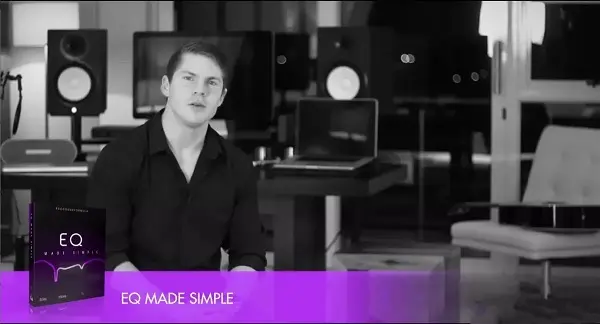
ProSoundFormula EQ Made Simple TUTORIAL

By | January 20, 2025

ProSoundFormula EQ Made Simple TUTORIAL

ProSoundFormula EQ Made Simple TUTORIAL

Welcome to EQ Made Simple. It’s great to have you here. Thanks for taking this next step with me and I’m pretty excited to get started. You know what, EQ is probably the most powerful tool we have to transform our tracks. If you just think about it, all the favorite songs that you love to listen to, they’ve all gone through a ton of different EQs to get where they are. But as powerful as EQ is to transform for good and make things sound really great, it can equally do the opposite and transform things for the worse.

So it’s a really powerful tool if we know how to use it. If we don’t, then things can go wrong pretty fast. It’s like giving a teenager a Ferrari to practice their driving. Not the best idea in the world. So I just want you to know that no matter how frustrating or confusing you found EQ perhaps in the past, that’s all about a change.

We’re going to start at the beginning, we’re going to go over the essentials, we’re going to cover all the basics, you’re going to know exactly why we use EQ, what it’s for, the different controls, all that stuff, and I’m going to show you practical sessions where I’ll show you how I approach using EQ for all the major instrument groups, drums, vocals, bass, guitars, that kind of stuff.

And not only that, but I’m even going to give you the session files so that you can load these up in your DAW and you can practice the same things that I’m showing you. Because something happens when you actually put this stuff into practice and you see and you hear for yourself that you know what, I can do this. It’s not that difficult.

So, I’m just going to give you a quick tour of the program now. I’m going to show you what’s inside, what’s installed, how we’re going to go about this, and then we’ll get right into it.

So here we are inside the EQ Mate Simple program. By the way, I’m just showing you around the downloaded version. If you’re watching this online in your members area, exactly the same thing, same video, same everything. It’s just a little bit quicker for me to jump around this one. So you’ll find a couple of things in your main folder or your main menu. You’ll find the EQ Mate Simple Summary, which is a summary of basically all the key points in the whole program. You’ll find this video, which is the one you’re watching right now.

You’ll find part one which is EQ essentials and basics, two is EQ mindsets and principles, three is examples and practice, four is using EQ in a mix, and then fifth you’ll find your resources folder. So I’ve just numbered them over here to make sure that they stay in order.

So starting out with part 1, you’ll find the essentials and basics of EQ. Video 1 is called EQ Essentials and in this one you’ll find out what EQ is, where it came from, what it’s for, the reasons we use it, all that stuff. I really want to make sure that we cover the absolute essentials.

So that’s the first step. Then in video two, we’ve got the EQ basics, and here I’ll just be showing you EQ practically in a session, just take you through the different controls and how those work and stuff. Now, it is very, very, very basic, so if you are a little bit more experienced, you might want to skip this one, but I just want to make sure that, you know, if you’ve had doubts about some of this stuff before, I just want to make sure that we’re on the same page moving forward.

Then in the third video, we’ve got the five major reasons for using EQ, which I’ll tell you about in the EQ Essentials, but in this video over here, I’m just going to give you some practical examples of that. For example, one of the reasons is to fix frequency spectrum problems. So what does that mean? Well, I’m going to show you practically a couple of examples.

And then finally, we’ve got the three simple EQ methods. And these are the three approaches that I use when using EQ throughout a mix. So just three simple things that you can follow. Yeah, just really useful. Then in part two, we’ve got the EQ mindsets and principles.

And here I’ll be sharing with you my 16 laws of EQ. These are just the kind of things that, you know, no one tells you but you wish that someone had down the line. So they’re kind of just 16 nuggets of wisdom, ways of thinking about EQ that I think will really help you.

Then moving on to part three, we’ve got the EQ examples and practice. And here I’ll be showing you actual sessions and how I approach EQing the major types of instruments. So bass, drums, guitars, keys, vocals. And I’ll be taking you through kind of the key zones to look out for and where and how to EQ different instruments. I’ll actually be showing you the EQ cheat sheets, which you can find in your resources folder.

And I’ll be taking you through each one of these kind of zones and showing you how this affects that specific instrument. I’ve also included practice files, so practice sessions over here, which you can actually follow along and do the same things that I’m showing you. So I haven’t included the entire mix because that would just get messy and it would be extremely large to download, so I’ve bounced down the mix, so you’ll find, for example, in the bass folder over here, mix without bass, and then you’ll find the bass without EQ, so you can use that one to practice on, and then I’ve got the one that I’ve already EQed so you can pair to that, and I’ve even included the screenshot of the EQ so that you can review back to that and model that if you want to. So I’m really just going to show you all my best stuff. Everything I know about EQing all these different instruments, I’m going to show you.

Then in part 4, we’ve got using EQ in a mix. And here I’m just going to take you through a mix session and kind of give you a broader approach to EQ. So I’ll show you how I approach using EQ throughout a mix on all the different instruments together. And so here you’re just going to see all the concepts, the techniques, the principles all come together and you’re going to see how it actually applies practically in a mix.

And then finally, we’ve got the resources folder over here, which just has a couple of things inside it. I already told you about the EQ cheat sheets and the practice sessions. And by the way, the practice sessions are separate downloads. So if you’ve just downloaded the program, you won’t see those in your resources folder. You’ll need to download those separately.

Then first up we’ve got this EQ comparison video over here and here I just wanted to give you an idea of how different EQs actually sound. So I’m going to play them on the same track and compare them one to the next so that you can actually hear for yourself, you know, this is the different character and the different colors and tones that each one of these has.

Then there’s an EQ controls overview, just showing you all the main controls. There’s a printer-friendly version of that as well. And then there’s the sonic consistency EQ chart, which I mentioned in the program. This is just going to help you balance the overall frequency spectrum of your mix and make sure that it sounds great no matter what system you play it on. And then finally, there’s just the sound terms glossary over here.

You know, when we try and describe sound, we use all kinds of funny terms and things, so I just want to make sure that that’s clear, so that when I’m describing a kick drum as fat, for example, I’m not saying that it’s morbidly obese, I’m saying that it’s got good low end, the bass response is good, it sounds thick, that kind of thing. Now that one’s pretty obvious, but some of the other ones might not be quite as obvious, so you might want to check that out.

And that’s it. I hope you get a ton of value out of this program. If you go through this, if you put these things into practice, it will help you to dramatically improve your sound. Because EQ really is the most powerful tool we have to shape the way our mixes and our songs sound. And when you learn to use it the right way, it really is amazing what you can do with it. And with that said, I’ll catch you in part 1 and session 1, the EQ essentials.

Download link

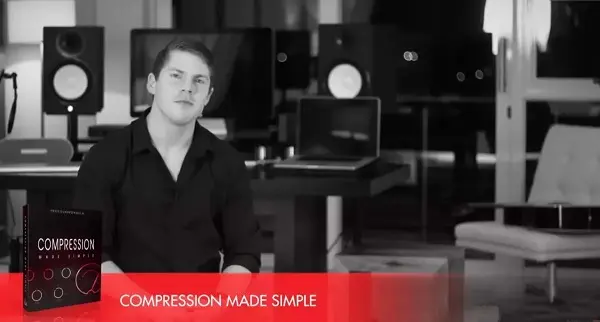
ProSoundFormula Compression Made Simple TUTORIAL

By | January 20, 2025

ProSoundFormula Compression Made Simple TUTORIAL

ProSoundFormula Compression Made Simple TUTORIAL

Welcome to Compression Made Simple. I was a little bit hesitant to create a program called Compression Made Simple when probably one of the most confusing and complicated and pretty much opposite of simple things that we have is the compressor. And I’m sure you know this first hand which is probably why you’re here right now.

But I’ve spent a lot of time to make this program as simple as possible and I’m going to be showing you a lot of different concepts in a lot of different ways. I’m going to show you visually, some different diagrams and illustrations and show you the kind of theory and then I’m going to take you practically into a session and show you exactly how those things apply. So you’re going to hear me repeating a lot of the same ideas over and over again and this is all intentional.

And the reason is, is that as humans, we’re kind of a little bit strange. We don’t tend to learn things the first time that we hear them. We’ve got to hear things a couple of different times and then eventually, you know, the 11th time that we hear something, suddenly we go, okay, that’s how that works. It’s so simple.

Meanwhile, we’ve heard it a whole bunch of times before. So by the end of this program, you’re gonna know exactly what compression is, where it came from, why we use this stuff called compression, and you’re gonna understand exactly how to use it to transform your tracks. You’re gonna understand how to use the different controls. In fact, I’m actually gonna take you through a session called the Compressor Setup Guide, where I’m gonna show you exactly how to figure out how to set up each control on a compressor, no matter what you compress it.

I’m also going to show you some practical sessions where I’ll take you through how I approach compressing all the major instrument groups, drums, vocals, bass, guitars, that kind of stuff and not only that, but I’m even going to give you the same session files that I’m working on that I’m showing these demonstrations on so that you can put these same methods, these same techniques into practice yourself. Prove to yourself that you can do this. It’s really not that difficult.

So let me just give you a quick tour around the program, show you what’s inside and how we’re going to go about this and then we’ll dive into the first video on compression essentials.

Alright, so here we are inside the Compression Made Simple program, and I’m just using the downloaded version over here, but if you’re watching this online, it’s exactly the same thing, the same structure, the same everything. It’s just a bit quicker for me to jump around this one. So, you should find a couple of key things, whether you’re in the main menu or the main folder. First up, you’ll find the Compression Made Simple summary, which is a summary of the overall program, all the key ideas, techniques, and explanations on there so that you can refer back to it.

Then we’ve got the welcome and orientation video, which is the one that you’re watching right now. And then in part one, we’ve got the compression essentials and basics. So we’ve got to start out with a good foundation so that everything that we build on from here, you’re going to understand, you’re going to be able to put it into practice. So in the first video, we’ve got the compression essentials where I’m going to be showing you what compressors are, where they come from, why we use compression, all the different reasons.

how they work, what they’re doing, all that kind of stuff I’m going to be showing you in that video. Then in the compression basics video, I’m just going to show you a compressor practically in a session and show you how the different controls affect the sound and show you what they’re all doing kind of practically. So we’re really going to cover the absolute basics over there so that I know we’re on the same page moving forward.

And then I’ve got this compressor setup guide for you, which is a video and a PDF that goes along with it over here, which is gonna help you ask the key questions to figure out how to set up each control on a compressor, because that’s often the challenge, isn’t it? You get to this compressor and it’s got these different controls like ratio and threshold and tack and release, and it’s like, well, where should these things even be set? Well, this is gonna guide you through that practically, and I’m gonna show you that in this video over here.

So by the time you’ve gone through part one, you’ll already have a pretty solid foundational understanding of what compression is, how it works, and how we go about using it. Then in part two, we’ve got the compression mindsets and principles. And here I’ll be sharing with you my eight laws of compression, which are kind of like principles, they’re mindsets, they’re ways of approaching compression that just go beyond any type of technique.

Techniques are great and you’re going to get a ton of them in this program but I also wanted to give you some kind of high level thinking which are going to make those techniques even more powerful. Then in part 3 we’ll be putting all this stuff into practice and I’ll be giving you actual examples and you’re going to be able to put this into practice as well.

So I’ll show you how I approach compressing all the major instruments, bass, drums, guitars, keys, vocals. And then there’s also this video here called 7 Step Mix Master Compression. I didn’t actually shoot this one specifically for this program, but I realized that it’s by far the best, most powerful training that I have on this. So instead of trying to reinvent the wheel, I’ve just included this one for you and this will show you how to set up

a mix bus compressor, whether you’re putting it on an overall mix or whether you are using it for mastering, it’s the same difference. It’ll show you exactly how to set up a compressor on an overall track. So if you’ve downloaded the practice sessions, you’ll be able to follow along with some of these. So I’ve just got them in over here, and here you’ll find compressed bass, drums, guitars, keys, vocals, and there’s even a practice session that goes along with the basics video

where you can put into practice the same things that I’m going to show you. Then in part four, we’ve got using compression in a mix. And here I’m just going to take you through an actual mix and show you how I use compression and how I approach and think about using it on all the different tracks and show you how a whole mix comes together using compression. So it’s kind of just going to bring together all the ideas that we’ve covered so far.

And then finally, you have your resources folder, which just has a whole bunch of good stuff which I’ve included for you. So first, there’s the 7-step mix master compressor setup. This is the one that I told you about just now. I know it says mix bus compressor, but whether you’re putting it on the overall mix or whether you’re putting it on a stereo track and mastering, it’s the same thing. So this is just the kind of guide that goes along with that. Then you’ll find this attack and release advanced training over here.

Now, if you want a better explanation of attack and release, and if you feel ready for it, if you kind of feel like you understand the basics, but you wanna understand that a bit better, then this session’s for you. If you’re still a little bit new to it all and you’re a bit confused, then I recommend staying away from this one until the end. That’s why I put it in the resources folder here instead of in the essentials. So it’s not absolutely essential, but this is just gonna help you to really understand what’s going on when it comes to attack and release settings.

Then I’ve got these compression cheat sheets for you, which are basically just some of my main recommended settings for the different instrument groups. Now it’s impossible to give exact settings, but these are the type of settings that I find myself using and I’ll be showing you throughout the session.

Sometimes I’ve given a couple of different examples like the vocals over here. There’s a general vocal, a more aggressive one, and a more subtle one. These are really just to get you started. If you’re not sure where to begin, you don’t know what to dial in the compressor, this is a great starting point. And there’s also some printer-friendly versions over here if you want those.

Then the practice sessions, I’ve already told you about those. Then I’ve got this compressor comparison video over here, where I’m going to be showing you a whole bunch of different compressors. There’s a lot here. What’s this? 1, 2, 3, 4, 5, 6, 7, 8 different compressors. And I’m going to show you how they sound in comparison to each other. Because you see all these different compressors, and they all look different, and they all claim to do different things. But what do they actually sound like? So I’m going to show you firsthand so you can hear for yourself.

Then I’ve got this compressor controls diagram over here, just showing you the main key controls and what they are, just a really nice brief explanation of them. Then the compressor setup guide, you already saw this earlier, there’s just a printer friendly version of that if you wanted. And then finally there’s just this sound terms glossary, which will help you to understand some of the terms that I might use throughout the program. Some of these things like airy and blurry and boomy and all these things can be a bit confusing, so if you’re not sure what I mean,

Just take a look in here and you should find an explanation. And that’s it. I’m going to be giving you a lot of different ideas, techniques, concepts. I’m going to be dumping a lot of stuff on you in this program. So, I encourage you to take notes, whether that’s in written form, so you’re writing it down, or you’re using something like Evernote on your computer and you’re taking notes in there. Something happens when you write something down that just helps you to remember it better. So, I can’t recommend that enough. You don’t have to write down every single thing you hear. In fact, I don’t recommend that at all.

Just the things that really stand out to you. You know, when you get that light bulb moment, you go, oh, that’s how that thing works over there. Write it down. It’ll just help you remember it much better, and you’ll just learn the stuff even faster. With that said, I hope you enjoy the program. I hope you get a ton of value out of it, and I’ll catch you in part one, in session one, the compression essentials.

Download link

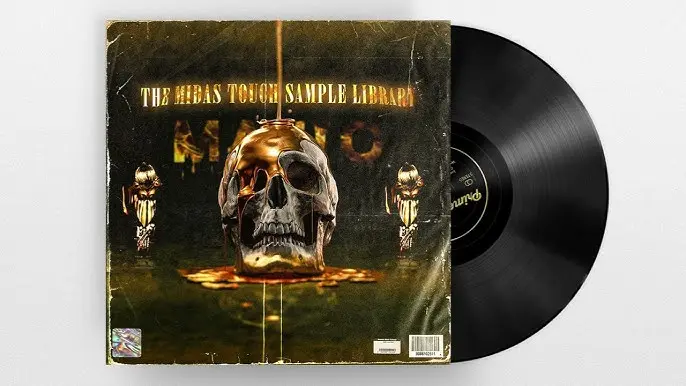
Mafio The Midas Touch Sample Library WAV

By | January 20, 2025

Mafio The Midas Touch Sample Library WAV

Mafio The Midas Touch Sample Library WAV

This is the full version of the “The Midas Touch” Sample Library

Also the first 10 buyers are gettin EXCLUSIVE BONUS content

– Exclusive never released samples (they won’t be released ever again)
– A Drumkit with my 2022 Go To drums, which fit perfectly with the samples in this library

These samples consist of melodies in style of OZ, Drake, Travis Scott, Shindy, Cubeatz, Frank Dukes, Nico Chiara, Wheezy, Pvlace, Migos, Trippie Redd, YSL, Gunna etc.

  • 40 samples all composed by Mafio
  • Key and BPM labeled
  • Stems included within the samples (mostly)
  • Compatible with every DAW

Download link

Mafio Perception Bundle Sample Pack + One Shot Kit + Mixing Chains WAV FST

By | January 20, 2025

Mafio Perception Bundle Sample Pack + One Shot Kit + Mixing Chains WAV FST

Mafio Perception Bundle Sample Pack + One Shot Kit + Mixing Chains WAV FST

This bundle is the perfect Go To Kit for producers looking for vintage sounds.

  • 17 Original Compositions (10 in the Sample Pack / 7 in the One Shot Kit)
  • Tempo and Key labeled / 16-Bit Quality Wav
  • One Shot Kit with 165+ Sounds and Textures
  • 21 Mixing Chains (Master + Effects for Samples / Vocals for Samples / Stock and Free Plugin Chains included)
  • Compatible with all DAW (Except the Mixing Chains – Only FL Studio!)

Download link

Mafio Pickpocket (Multi-Kit)

By | January 20, 2025

Mafio Pickpocket (Multi-Kit)

Mafio Pickpocket (Multi-Kit)

“Pickpocket”, by Mafio, is a Multi-Kit that contains tons of content for an unbeatably low price.

The Pickpocket Mini Multi-Kit contains:

  • 10 Samples with Stems
  • 97 One Shots
  • 20 Percussion Loops
  • 78 Percussion One Shots
  • 23 Textures
  • 10 EffectRack Presets
  • 20 Midis (Chord Progressions + Melodies)

Download link