
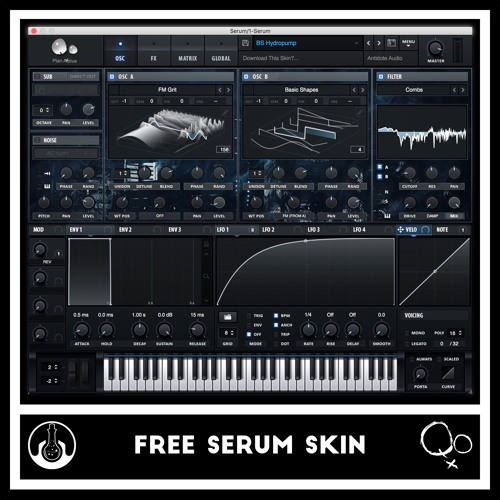
Antidote Audio x Qoiet – Dark Serum Skin
Size 9 Mb
Qoiet x Antidote Audio FREE Serum Skin
We have teamed up with the legendary producer ‘Qoiet’ to create this Free Serum Skin for you guys!
If you somehow haven’t heard of Qoiet’s music before. We’d describe it as uniquely dark, glitchy & intense! And this Serum skin hopefully reflects that style.
So enjoy the Free Download! If you’re unsure of how to install Serum Skins on your computer, scroll down to learn how!

HOW TO INSTALL THIS SERUM SKIN
1 – Download from the link below!
2 – Extract the folder from the zip by double clicking on the .zip
3 – Open a new version of SERUM in your DAW (Abelton, Fl Studio, Logic x)
4 – Click Serum’s dropdown menu and select “Show Serum Presets Folder“
5 – Locate the ‘Skins‘ Folder in your window that just popped up
6 – Grab the unzipped ‘Antidote x Qoiet – Dark Serum’ Folder (from step 2) and drag it into the ‘Skins’ folder
7 – Open Serum again and from the dropdown menu select “Rescan folders on disk“
8 – Click the Serum Logo on the top left of Serum, click ‘Skins‘ and select our new skin! Enjoy!