
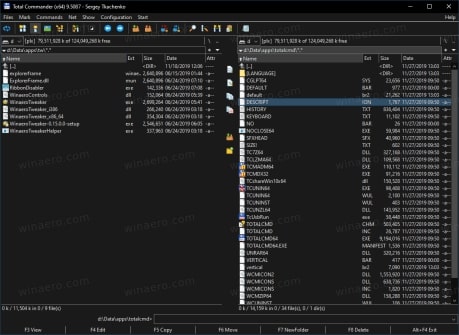
Total Commander 10.00 WIN
If you are a fan of dual-pane file managers, Total Commander is the app that needs no introduction to you. It is definitely the best app of its class, , mature, feature rich, and very powerful. Starting in version 10.00, the app adds support for native dark mode available in Windows 10.
Features in Total Commander 10.00 now include :
Two file windows side by side
Multiple language and Unicode support
Enhanced search function
Compare files (now with editor) / synchronize directories
Quick View panel with image and video display
ZIP, 7ZIP, ARJ, LZH, RAR, UC2, TAR, GZ, CAB, ACE archive handling + plugins
Built-in FTP client with FTPS (encrypted FTP) and HTTP proxy support
Multi-rename tool
Tabbed interface, regular expressions, history+favorites buttons
Thumbnails view, custom columns
Compare editor, cursor in lister, separate trees, logging, enhanced overwrite dialog etc.
Unicode names almost everywhere, long names (>259 characters), password manager for ftp and plugins, synchronize empty dirs, 64 bit context menu, quick file filter (Ctrl+S)
USB port connection via special direct transfer cable, partial branch view (Ctrl+Shift+B), and many improvements to ftp, synchronizing and other functions
And many more!
How to register it?
Copy the wincmd.key in the Main Folder after installing, it should now be fully functional.